How to Redeem Build Your World Codes
UI patterns, typing rules, and troubleshooting for when Cozy Games! drops the first promos.
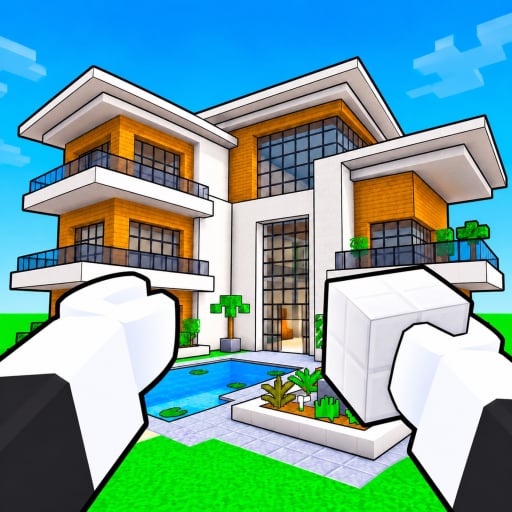
This guide explains how to redeem codes in Build Your World, the Roblox plot sandbox by Cozy Games! released on 2 October 2026. As of November 2026 there are still no verified working promo codes, but redemption flows in Roblox builders follow familiar patterns. Learn those patterns now so you can claim furniture packs, blocks, pets, or horses the minute a code goes live. Pair this page with the live status table on the Codes Hub.
Build Your World focuses on claiming a plot, placing blocks, decorating with 100+ furniture items, raising horses and pets, surviving TNT and tornado trolling, and protecting your base — with free private-server saves and a soft cap of 8 players per server. Codes, when added, almost always sit behind a small HUD control rather than a separate website. Never type a promo code into a third-party “redeem” form that asks for your password.
Before you redeem anything
- Launch Roblox and open the official experience: Build Your World on Roblox.
- Confirm the creator branding matches Cozy Games! so you are not in a lookalike place.
- Finish the short onboarding so shop, settings, and HUD buttons unlock. New players should skim Getting Started first.
- Prefer a stable connection. Redeeming mid-teleport or during a server hop can swallow a success toast.
- Have the code copied exactly — many Roblox codes are case-sensitive and reject extra spaces.
Typical places the Codes button appears
Sandbox and cozy builders usually hide redemption in one of these spots. Check them in order after each update listed on the Updates Hub:
1. Gift / Codes icon on the HUD
Look for a gift box, ticket, or tag icon along the left or right edge of the screen. Tap it, find a field labeled Code, Redeem, or Enter Code, paste your string, and confirm.
2. Settings or Menu panel
Open the hamburger or gear menu. Scroll for Codes, Shop, Rewards, or Extras. Some games nest the box under Shop even when the reward is free.
3. Shop banner or event popup
After a milestone update, a popup may advertise a celebration code. Use the field on that popup instead of closing it and hunting later.
4. Starter board on your plot
A few plot games place a physical redeem board near spawn. Walk up, press the proximity prompt, and type there. If Build Your World adds one, it will likely sit near the plot claim area.
If you cannot find any of these, the redeem UI may not ship yet — which matches our November 2026 codes status. Do not install random executors to “force open” a missing menu; see the Scripts Hub for why that is risky.
Step-by-step redemption flow
Once you locate the field, follow this sequence every time:
- Copy the code from a trusted announcement (Discord, group shout, or this wiki’s Codes Hub).
- Click into the in-game text box so your keyboard focuses Roblox, not the browser.
- Paste with Ctrl+V (Windows) or Cmd+V (Mac). Avoid retyping long strings when possible.
- Remove leading or trailing spaces if the paste adds them.
- Press Redeem, Submit, or Claim.
- Wait for a success toast, item grant, or inventory ping before leaving the server.
- Check your plot inventory, furniture catalog, pet menu, or currency counter to confirm the reward landed.
- If you play on a private server with free saves, rejoin once to make sure the grant persisted with your world data.
Typing rules that stop most failures
- Respect UPPERCASE and lowercase exactly as published.
- Do not add spaces between syllables unless the official string includes them.
- Watch lookalike characters (O vs 0, I vs l vs 1).
- Redeem on the account that should keep the reward — codes rarely transfer.
- One successful redeem per code per account is the Roblox norm; alts need their own redeem if the code allows it.
Common error messages and what they mean
| Message pattern | Likely cause | What to do |
|---|---|---|
| Invalid / Unknown code | Typo, wrong game, or fake string | Recopy from Codes Hub; confirm you are in Build Your World |
| Expired | Drop window ended | Move on; check Discord for a replacement apology code |
| Already redeemed | This account already claimed it | Stop retrying; switch accounts only if rules allow |
| Not available in this version | UI shipped but code gated to a newer build | Rejoin after an update from Updates |
| Try again later | Soft rate limit or datastore hiccup | Wait a minute, avoid spam clicking |
Safe habits while hunting freebies
Promo excitement attracts phishing. Protect your account the same way you protect a plot from TNT griefers — see Protect Your Base for in-world tips, and apply equal caution online:
- Roblox support or Cozy Games! will never ask for your password to “apply a code.”
- Bookmark this wiki and the official Roblox URL instead of searching ads every time.
- Skip browser extensions that claim to auto-grab Roblox codes.
- Treat “code generators” as malware delivery. They cannot invent developer promos.
- If a friend links a redeem site, open the official experience instead and type the code only in-client.
What to do while the list is still empty
Because no verified codes exist yet, put your session into the core loop:
- Claim and flatten a starter plot.
- Place structural blocks, then layer furniture from the 100+ catalog.
- Unlock horses or pets when available and park them where guests can see them.
- Learn which trolling tools (TNT, tornado) can wipe builds so you can counter them.
- Use free private-server saves when you want a quieter 8-player world with friends listed under Players style rosters and pet notes.
- Rank must-buy furniture on the Tier List Hub so free crates later go toward gaps, not duplicates.
When the first code finally appears, return here, follow the HUD path above, then confirm the reward. We will also update the active table on Codes and call out any UI changes on Updates. For official destinations and community pointers, keep the Wiki overview / links page bookmarked.
Quick redeem checklist
- Official game open and tutorial finished.
- Code copied from a trusted source.
- Codes / Gift / Shop / Settings field located.
- Exact paste, no extra spaces.
- Success feedback seen and inventory checked.
- Private-server save rejoined if you rely on persistent plots.
Master this flow once and every future Build Your World promo becomes a thirty-second errand instead of a scavenger hunt.
Frequently Asked Questions
Quick answers to the most common questions.
Where is the code box in Build Your World?
As of November 2026 a dedicated codes UI may not be live yet. When it arrives, check gift icons, Settings/Menu, shop banners, or a spawn redeem board. Revisit this guide after patches.
Do I redeem codes on a website?
No. Redeem only inside the Roblox client for Build Your World. Any site asking for your password to apply a code is unsafe.
Are codes case-sensitive?
Usually yes. Paste exactly as shown on the Codes Hub or official announcements, and strip accidental spaces.
The code says invalid. What now?
Confirm you are in the Cozy Games! experience, recopy the string, and check whether our Codes Hub still lists it as active. Many shared codes are simply fake.
Can I redeem the same code on multiple accounts?
Most Roblox promos allow one redeem per account. Each alt must redeem separately if the code is still active and rules permit.