Tools Hub — Build Your World
Controls cheat-sheet, building checklist, and quick links so you spend time placing—not hunting menus.
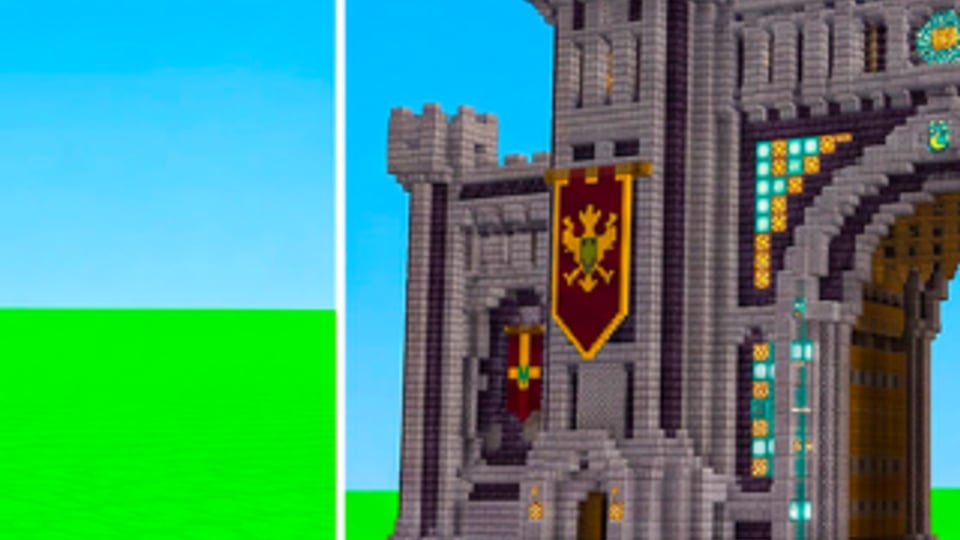
This Tools Hub is the practical clipboard for Build Your World by Cozy Games!: a controls-oriented cheat-sheet, a building checklist you can run every session, and quick links into deeper wiki pages. The live game is a Roblox plot sandbox—hundreds of blocks, 100+ furniture pieces, horses and pets, friend co-builds, TNT/tornado chaos, and free private-server saves. Use these tools beside Getting Started, How to Build, and Protect Your Base.
Nothing here replaces in-game UI labels. Roblox experiences update bindings and buttons; if a control below drifts after a patch, trust the current client and skim Updates.
Controls cheat-sheet (session starter)
Run this sixty-second warm-up every time you join:
- Confirm platform. Mouse/keyboard, touch, or controller—note which place/delete and camera gestures you actually have.
- Find the catalog. Blocks vs furniture vs pets/horses entry points; favorite the tabs you use most.
- Test place and delete on your own plot only—never calibrate tools on a stranger’s shell.
- Camera check. Make sure you can orbit a wall corner; roof work fails when the camera fights you.
- Movement check. Sprint and jump clear of furniture footprints so you know horse-path width later.
- Social panel. Friends list ready if you plan to invite collaborators from the Players Hub advice.
- Private vs public. Decide now: tour/public etiquette mode, or private-server save mode for serious builds.
Placement mindset
- Place structure in broad strokes, then detail.
- Delete mistakes immediately; do not “decorate around” a bad wall.
- Keep one inventory stack of primary structural blocks for emergency repairs when trolls appear.
- When riding, dismount before micro-placing furniture so you do not scatter pieces across the yard.
Exact key names vary by device; the checklist is about intent order, not a single PC binding table.
Building checklist — every plot session
Print this mentally (or keep the wiki tab open):
A. Claim and pad
- Plot claimed and edges understood
- Flat pad or intentional terrain ready
- Primary material chosen (one S structural language from the blocks tier list)
B. Shell
- Floor complete
- Four walls and a door
- Roof or temporary cover
- Stairs/circulation if multi-level
C. Light and life
- One hero light in the main room (furniture tiers)
- Seating or bed silhouette so rooms read as rooms
- Outdoor path loop if horses matter (pets tiers, Pets and Horses)
D. Defense pass
- Outer sacrificial skin planned
- Inner core for valuables and pets
- Spare rebuild blocks staged
- House rules ready if guests arrive (Players, Protect Your Base)
E. Save discipline
- Serious progress moved to free private-server save when possible
- Screenshot reference of the current best facade
- Note materials you still need for next session
If you only finish A–B, you already beat most abandoned plots. C–E is how builds survive a week of public chaos.
Quick decision tools
Furniture budget triage. If you can only afford three buys: light → sofa/seating → bed. Decor last. Details on Furniture Tier List.
Block triage. Shell first, trim second, glass only with an inner wall on public servers. Details on Blocks Tier List.
Pet triage. No mount until a clear outdoor loop exists; park prized pets in the defended core. Details on Pets Tier List.
Social triage. Touring? Hands off. Co-building? Consent in chat. Chaos? Opt-in plots only. Culture notes on Players.
Progression triage. New account? Getting Started + Codes before rare grinding. Mid-game? How to Build + tier hubs. Under attack? Protect Your Base immediately.
Session templates
20-minute cleanup
Repair outer skin, replace hero light, clear blocked doorways, stage rebuild stacks. Do not start a new wing.
45-minute feature add
Add one room or one outdoor set. Update screenshots. Stop while the plot still looks intentional.
Co-op hour
Assign roles (shell / furniture / paths). Ban surprise TNT. End by saving on a private server if the group is happy with progress.
Tour hour
No building on others’ plots. Collect three ideas (lighting trick, stair solution, yard loop) and apply them at home later. Etiquette lives on Players.
Anti-checklist — stop doing these
- Calibrating delete tools on someone else’s furniture.
- Buying C-tier decor before an S/A light.
- Hosting public chaos on the same save as your showcase menagerie.
- Ignoring Updates then blaming the wiki for old button names.
- Skipping consent when “just joking” with tornadoes.
How this hub ties to the rest of the wiki
Methodology and rankings: Tier List Hub. People systems: Players. Deep guides: Guides Hub via getting started, how to build, protect your base, pets and horses. Rewards: Codes. Patch awareness: Updates.
Keep this Tools page bookmarked as the short runway. When a checklist item needs a full essay, follow the linked guide instead of cramming everything here.
Suggested first-week tool loop
Day 1 — Controls warm-up + shell checklist + codes.
Day 2 — Lighting and seating triage from furniture tiers.
Day 3 — Defense pass and rebuild staging.
Day 4 — Tour public plots with Players etiquette.
Day 5 — Private-server polish + optional horse loop.
Day 6 — Co-op session with roles.
Day 7 — Reread Updates and adjust the checklist for any new catalog tabs.
Follow that loop and the Tools Hub has done its job: fewer frozen catalogs, fewer ruined friendships, more plots that still look like home after the tornado leaves.
Frequently Asked Questions
Quick answers to the most common questions.
What is the Tools Hub for?
It is a practical clipboard: controls warm-up, building checklists, session templates, and quick links into guides and tier lists for Build Your World.
Are the controls identical on every device?
No. Bindings differ across mouse, touch, and controller. Use the warm-up to verify place, delete, and camera on your device, and trust the live client after patches.
What should I check before inviting friends?
Finish a basic shell, stage rebuild blocks, decide TNT rules, and state edit permissions in chat. See the Players Hub for etiquette and Protect Your Base for defense.
Where do I go after finishing the checklist?
Use How to Build for placement depth, the Tier List Hub for buy priorities, and Updates after patches that change catalogs or tools.