Build Your World Wiki
Fan-made map of the Cozy Games! Roblox sandbox — official link, hubs, and how to use this site.
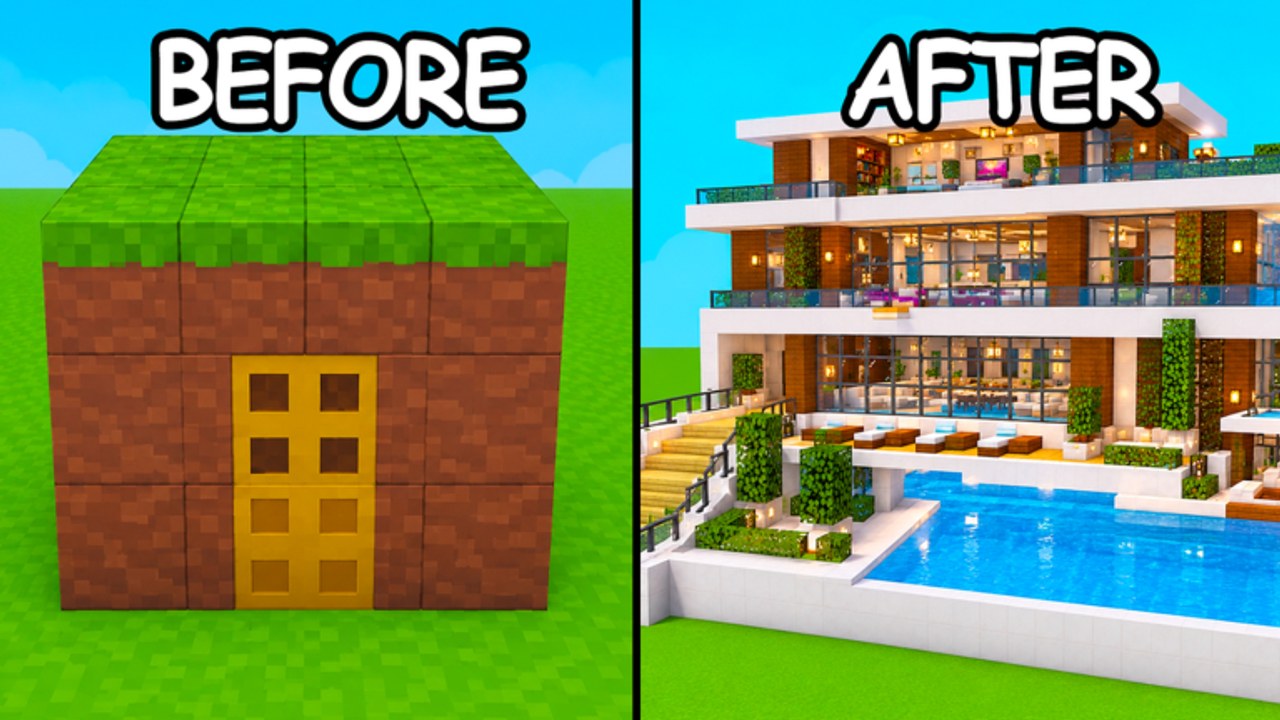
This page is the overview and links hub for the Build Your World wiki. Build Your World is a Roblox experience by Cozy Games! — a plot sandbox where you claim land, place blocks, furnish rooms from a 100+ item catalog, raise horses and pets, troll with TNT or tornadoes, and defend your base. It launched on 2 October 2026, offers free private-server saves, and runs with a server size of 8. By November 2026 the place sits around ~3.3M visits with peaks near ~24K concurrent players. This fan-made wiki organizes codes, guides, tier advice, scripts safety notes, player/companion info, and patch tracking so you spend less time searching and more time building.
Official destination
- Play Build Your World: Roblox experience page
- Creator / group: Cozy Games!
- Platform: Roblox only
- Release status: Released (2 October 2026)
- Discord / Trello: Not officially confirmed yet — ignore random invite or board links until Cozy Games! pins them on the experience or group
Always verify you are in the correct place ID path before redeeming codes, sharing plots, or downloading anything someone calls a “Build Your World script.” Similar names exist on Roblox; this wiki only covers the Cozy Games! title above.
How to use this wiki
Start with the question you actually have:
| If you need… | Go here |
|---|---|
| First-hour setup | Getting Started |
| Grief and claim defense | Protect Your Base |
| Promo codes status | Codes Hub |
| Redeem UI walkthrough | How to Redeem Codes |
| Furniture / build priorities | Tier List Hub |
| Companions and roster-style notes | Players Hub |
| Patch and launch timeline | Updates Hub |
| Executor risks and script reality check | Scripts Hub |
English URLs use trailing slashes (for example /codes/). Other languages keep the same path shape under their locale prefix after generation.
What the game is (short canon)
Build Your World sits between cozy decorating and light chaos. You are not grinding a linear campaign so much as iterating on a plot: foundation blocks, walls, furniture storytelling, animals in the yard, then the social layer — friends on an 8-player server, or grief tools that punish open layouts. Free private-server saves are a major differentiator; serious builds should live there until you are ready to show off publicly. That fact stays consistent across our guides, updates, and protection advice.
Codes and rewards honesty
As of November 2026, no verified working promo codes have been found for this exact game. The Codes Hub keeps an empty active table on purpose and points you to Discord, group shouts, and the experience description for future drops. When a code appears, redeem only in-client using How to Redeem. This overview will never send you to a password form.
Scripts and account safety
The title is new enough that widely verified dedicated scripts are not established. Our Scripts Hub explains what players usually want — auto-build, fly, infinite blocks, anti-grief helpers — and why publishing fake loadstrings would be irresponsible. If you care about your plot and your Roblox account, favor private servers, modular building, and official patches tracked on Updates.
Content pillars we maintain
- Onboarding — controls, claim flow, first furniture buys (Getting Started).
- Defense — TNT/tornado awareness and claim hygiene (Protect Your Base).
- Meta decorating — what to unlock or buy first (Tier List).
- Living roster — pets, horses, and related notes (Players).
- Live services — codes, updates, and script safety (Codes, Updates, Scripts).
Each pillar cross-links the others so you can enter from SEO search intent and still reach a complete session plan.
Community and discovery tips
- Favorite the official Roblox page and enable alerts if you use them.
- Join the Cozy Games! Roblox group for shouts and wall news. A public Discord or Trello is not officially confirmed yet — treat random invites as unverified.
- Screenshot builds before risky public-server experiments.
- Keep a private-server save as your “main” and treat public plots as showrooms.
- After every notable patch, run the checklist on the Updates Hub.
About this fan wiki
This site is unofficial. It is not operated by Cozy Games! or Roblox Corporation. Game mechanics, visit counts, and code availability change; we align pages to shared facts (release date, server size, free private saves, furniture scale, honest codes/scripts status) and revise when the live game shifts. If a hub disagrees with what you see in-client after a fresh join, trust the client, then check Updates for a pending wiki refresh.
Suggested first hour on the wiki + game
- Open the official experience.
- Skim Getting Started while the client loads.
- Claim a plot and place a simple shell of blocks.
- Read Protect Your Base before inviting strangers.
- Peek at Tier List before spending on furniture.
- Bookmark Codes even though the list is empty — milestone drops come fast on growing sandboxes.
- Return to this overview whenever you need the hub map again.
Build Your World rewards patience and taste as much as speed. Use this wiki as a compass, not a spoiler dump: honest codes, cautious scripts guidance, practical protection, and update context for a game that is still adding blocks and furniture through late 2026.
Frequently Asked Questions
Quick answers to the most common questions.
Is this the official Build Your World wiki?
No. This is a fan-made guide site. The official play link is the Roblox experience by Cozy Games! linked at the top of this page.
What is Build Your World?
A Roblox plot sandbox released 2 October 2026 featuring blocks, 100+ furniture items, horses/pets, TNT/tornado trolling, base protection, free private-server saves, and 8-player servers.
Where do I find codes and scripts info?
Use the Codes Hub for promo status and the Scripts Hub for safety notes. As of November 2026 there are no verified codes or widely verified dedicated scripts.
Which guide should a brand-new player open first?
Start with Getting Started, then Protect Your Base before you invest heavily on a public plot.
How is this overview kept consistent with other pages?
Shared facts — release date, server size, free private saves, furniture scale, codes/scripts honesty — are aligned across hubs and guides so advice does not contradict.