How to Build in Build Your World
A repeatable workflow for hundreds of blocks and 100+ furniture pieces — clean, fast, and grief-aware.
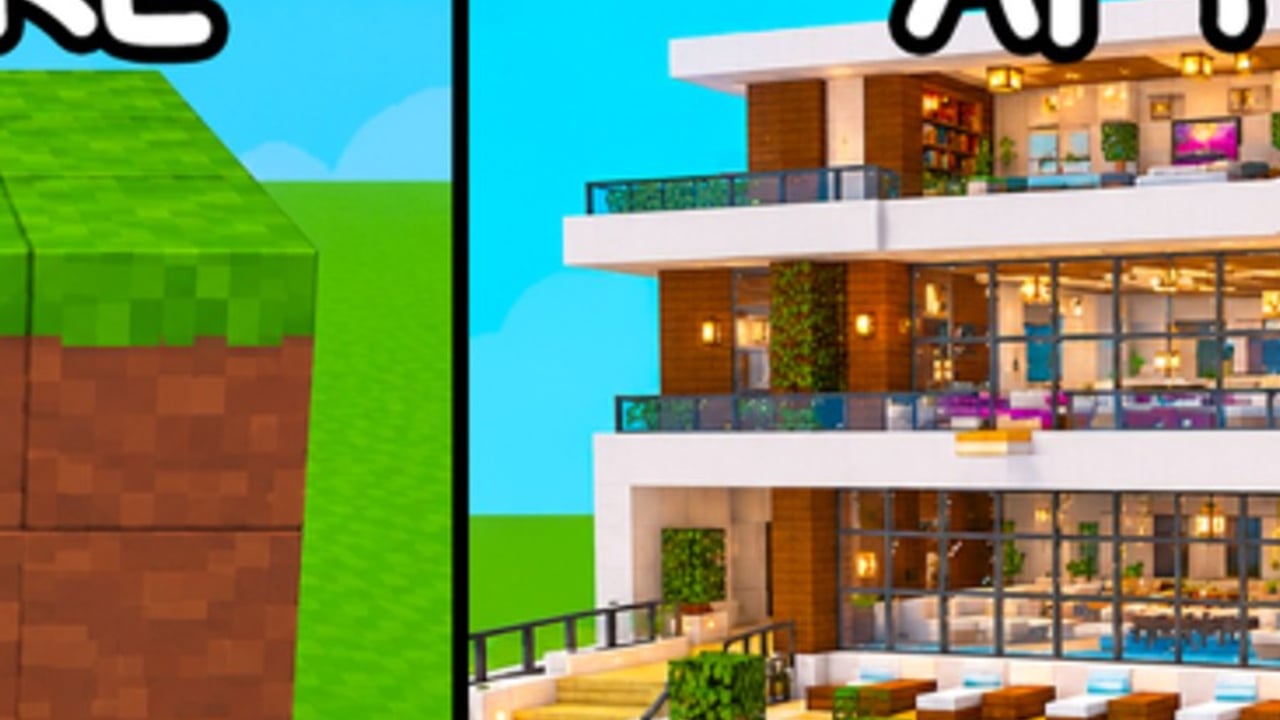
Building is the core loop of Build Your World by Cozy Games! You claim a plot, then shape it with hundreds of block types and 100+ furniture items. This guide focuses on workflow: what to place when, how to keep builds readable, and how to avoid redoing a mansion because you decorated before you roofed. Pair it with Getting Started for onboarding and Protect Your Base for TNT and tornado resilience.
Play the official experience here: Build Your World.
The build order that always works
Use this sequence on every project, tiny cottage or sprawling estate:
- Footprint — mark the outline with foundation blocks.
- Foundation / floor — fill the outline; keep height consistent.
- Load-bearing walls — exterior shell first.
- Openings — doors and windows after walls exist so gaps stay intentional.
- Roof / ceiling — close the volume before decorating.
- Interior partitions — rooms only after the shell is weather-tight.
- Furniture — large pieces first (beds, tables, sofas), then clutter.
- Exterior props — fences, paths, and lawn décor last.
- Animals — horses and pets after the space is safe to navigate (Pets and Horses).
Skipping steps creates fragile showpieces. Public servers (size 8) punish fragile showpieces.
Foundations and footprint planning
Start smaller than your ego wants
A compact 8×8 or 10×10 shell teaches every tool. Giant footprints look impressive for five minutes, then stall when you cannot roof them. Expand with wings after the first volume is finished and saved.
Align to the plot grid
Walk the plot edges before placing. Leave a buffer strip between your walls and the plot boundary so fences, pathways, and blast gaps still fit. Border-hugging glass boxes look sharp in screenshots and fail under chaos tools.
Height discipline
Pick a story height (for example three or four blocks to the ceiling) and stick to it. Mixed heights without a plan create jagged roofs and broken furniture sightlines. Multi-story builds should finish floor one completely before stacking floor two.
Walls, materials, and palettes
You have access to a huge block catalog. That is a design risk, not only a gift.
- Choose one primary exterior block, one trim, and one accent.
- Choose one interior floor and one interior wall.
- Repeat those five choices everywhere before unlocking wild colors.
When you want opinionated rankings instead of a method, open the Blocks Tier List. Use tier lists to shortlist materials; use this guide to place them.
Structural tips
- Prefer continuous walls over checkerboard patterns for your first fortress — they read stronger and repair faster after blasts.
- Double up exterior walls if you play public lobbies often (see defense guide).
- Avoid full-glass first floors facing busy paths; they invite trolls and expose furniture.
Roofs and ceilings
A roof defines “done.” Until the volume is closed, every furniture piece is temporary.
- Flat roofs are fine for modern shells and faster repairs.
- Sloped or stepped roofs look richer but cost more rebuild time after tornado passes.
- Leave attic crawl space only if you will use it; empty voids waste blocks and confuse co-op partners.
If grief risk is high, prioritize repairable flat roofs over ornate peaks until you move the project into a private server.
Furniture workflow (100+ pieces)
Furniture sells the Cozy Games! fantasy — kitchens, bedrooms, lounges — but order still matters.
- Circulation first: place doors, then leave walkways two characters wide.
- Anchor pieces: bed, sofa, table, storage.
- Lighting: lamps and ceiling lights before tiny clutter.
- Thematic sets: match a room’s furniture family instead of mixing every rarity in one corner.
- Clutter last: plants, rugs, small props.
Ranked furniture ideas live on the Furniture Tier List. Do not chase “best” items before the room has a purpose.
Interior readability
Stand at the doorway after each furniture pass. If you cannot see a clear path to the far wall, you over-cluttered. Remove three props and reassess. Screenshots favor density; daily play favors space.
Co-op building in 8-player servers
Build Your World encourages building with friends. Keep chaos low with roles:
| Role | Focus |
|---|---|
| Architect | Footprint, walls, roof |
| Interior | Furniture and lighting |
| Runner | Fetch ideas, scout empty plots, watch for griefers |
| Critic (rotate) | Walk the build and call out blocked paths |
Agree on a palette card in chat before anyone places neon. Disagreements are cheaper in text than in rebuilt walls. For long sessions, host a free private server so the team is not fighting lobby trolls while placing trim.
Iteration loop: prototype → commit → save
- Prototype a wing in a public lobby or throwaway private server.
- Commit once the shell and main furniture feel right.
- Save / continue serious work in private servers where builds persist.
- Stress-test defenses separately — do not TNT your only copy.
Public lobbies remain useful for social proof and inspiration from Players, but they are poor archives.
Advanced polish (after the basics)
- Symmetry vs intentional asymmetry: pick one. Accidental asymmetry looks unfinished.
- Color blocking: large flat planes of one block beat noisy speckles at thumbnail distance.
- Landmark roof piece: helps friends find you when eight plots are active.
- Modular wings: add rooms as attached modules so a destroyed wing does not force a full rebuild.
- Pathing for horses: leave exterior lanes wide enough to ride without clipping (Pets and Horses).
Mistakes that waste hours
- Rainbow exteriors with no trim hierarchy
- Furniture before roof
- Windows punched randomly after the wallpaper is done
- Building flush to every plot edge
- Ignoring Controls and fighting the camera instead of practicing placement
- Trusting unverified codes for “free build packs” that do not exist as of November 2026
- Copying private-server museum designs into public lobbies without defenses
Related pages
- Protect Your Base — TNT, tornadoes, layered walls
- Private Servers — free persistence for keeper builds
- Controls — PC and mobile placement
- Updates — new blocks or furniture drops
- Scripts — community tools (use carefully)
- Tier List Hub — blocks, furniture, pets rankings
Master the order — footprint, shell, roof, furniture, props — and Build Your World stops feeling like a clutter simulator. Hundreds of blocks only help when you place them with a plan.
Frequently Asked Questions
Quick answers to the most common questions.
What is the best order to build a house?
Footprint, foundation, exterior walls, doors and windows, roof, interior walls, large furniture, lighting, then clutter and exterior props.
How many block types should I use?
For most builds, one primary exterior, one trim, one accent, plus one interior floor and wall. Add more only after the shell reads cleanly.
Should I decorate while walls are unfinished?
No. Close the volume with a roof first. Furniture placed early becomes expensive debris after TNT or tornado damage.
How do friends build together efficiently?
Split roles (structure, interior, scout), agree on a palette, and prefer free private servers for long co-op sessions in this 8-player experience.
Where can I compare blocks and furniture?
Use the Blocks Tier List and Furniture Tier List. This guide teaches workflow; tier pages rank options.