Getting Started in Build Your World
From join screen to a claimed plot, roofed starter house, and a plan for friends or private saves.
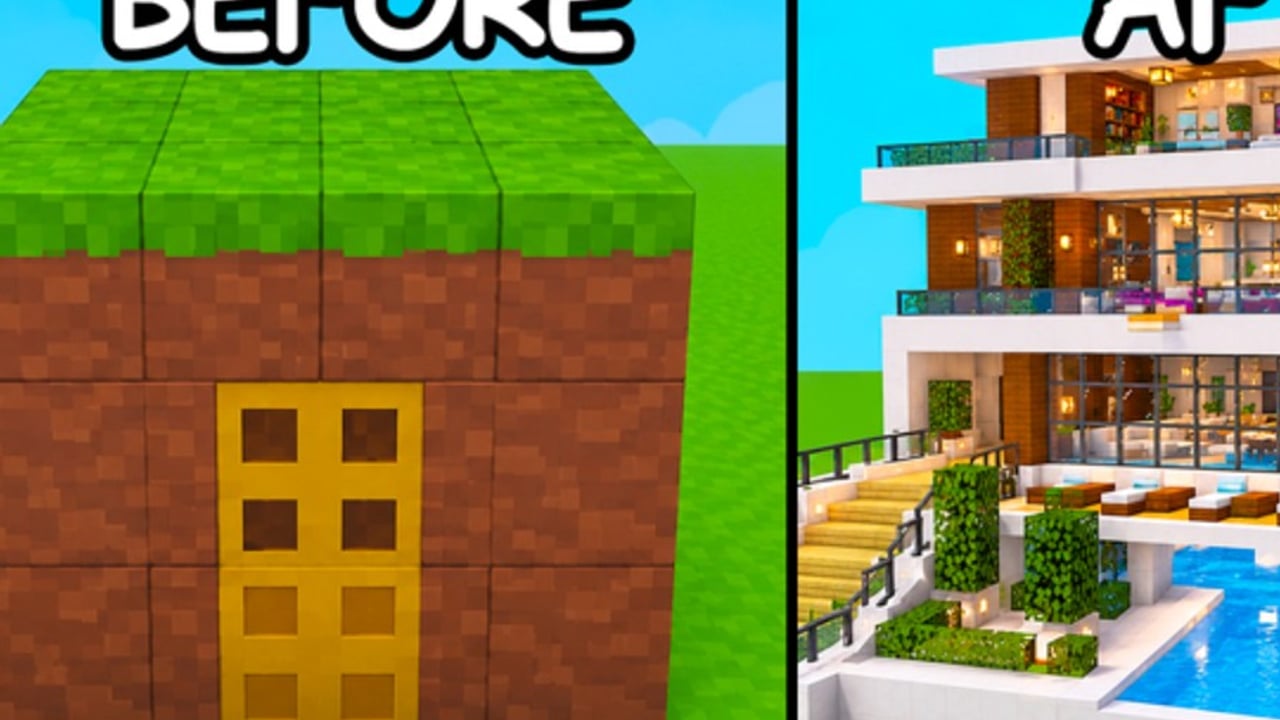
Build Your World by Cozy Games! is a Roblox simulation sandbox where you claim a plot, build with hundreds of blocks and 100+ furniture pieces, ride horses, raise pets, and either cooperate or clash with up to 7 other players in an 8-player server. The experience released on 2 October 2026 and continues to update through November 2026. This guide gets you productive in the first hour without wasting materials on a house that TNT deletes five minutes later.
Official place: Build Your World on Roblox.
Before you press Play
- Confirm you are on the Cozy Games! place linked above (name collisions happen on Roblox).
- Decide your goal for session one: learn tools, finish a starter house, or scout with friends.
- Skim Controls if you play on mobile — placement precision differs from keyboard.
- Know that serious builds belong in Private Servers once you care about persistence.
As of November 2026, there are no verified active promo codes. Skip random code lists and check Codes only when Cozy Games! publishes gifts. Redemption steps live on How to Redeem Codes for when that changes.
Minute 0–10: join, claim, orient
- Join a public server (or a friend’s private server if you already have one).
- Look for an unclaimed plot. Peak concurrency has reached roughly ~24K CCU with about 3.3M visits, so popular times fill fast — hop servers if every plot is taken.
- Claim your plot as soon as you stand on a free pad. Do not wander the map empty-handed for twenty minutes; claiming locks your canvas.
- Open the build / catalog UI and identify three categories you will use first: foundation blocks, wall blocks, and basic furniture (door, bed, light).
- Walk the plot edges. Note neighbors. In an 8-player lobby, adjacent builders can become allies or TNT sources.
If claiming fails or the UI feels wrong, leave and rejoin once. Soft join bugs happen; do not rebuild a half-house on an unclaimed pad.
Minute 10–30: starter shell (structure first)
Follow this order every time — it matches the deeper advice in How to Build:
- Floor / foundation across the footprint you actually want (start small: 6×6 or 8×8 is enough).
- Outer walls one block thick to start; leave a single doorway.
- Roof or partial cover so you have a defined interior.
- Door and one light so the space feels finished.
- Bed / seating and one storage-looking piece if available — furniture sells coziness after structure is safe.
Avoid decorating the lawn before the shell exists. Furniture scattered outside is the first thing chaos tools wipe, and it teaches bad habits.
Starter materials mindset
You have hundreds of blocks. That abundance tempts rainbow walls on day one. Resist. Pick one exterior palette and one interior palette. Save experimental colors for a second wing after you understand grief risk. Ranked opinions live on the Blocks Tier List and Furniture Tier List when you want curated picks.
Minute 30–50: make it livable and safer
- Add a second wall layer or a short perimeter fence if the lobby feels rowdy — details in Protect Your Base.
- Keep valuables (favorite furniture sets, trophy pieces) inside the shell, not on the front porch.
- Leave air gaps or a small courtyard only if you understand tornado / blast paths; pretty courtyards without roofs are grief magnets.
- Place a clear landmark on the roof (flag color, unique block) so friends can find you in an 8-player server.
Horses and pets on day one
You can ride horses and raise pets, but do not chase every animal before you have a door. Mounts help you scout empty plots and visit friends; pets decorate a finished space. Full care and riding notes: Pets and Horses. Ranked companions: Pets Tier List.
Minute 50–60: decide public vs private
Ask one question: Is this build disposable practice or something I want next week?
- Practice / social — stay public, invite friends, stress-test walls with friendly TNT (or learn the hard way).
- Keeper build — move to a free private server so the project saves without random tornadoes. Setup and habits: Private Servers.
Co-op works well at server size 8. Assign roles: one player places structure, one furnishes, one watches the perimeter. Building with friends is a core pitch of Build Your World — just agree on grief rules before someone “tests” TNT on the living room.
First-session checklist
- Plot claimed
- Foundation + walls + roof + door
- One light and one furniture set inside
- Controls feel comfortable (Controls)
- Know how to open a private server for the next long session
- Bookmarked Updates for patch changes
- Ignored unverified code lists (Codes)
Common beginner mistakes
- Decorating before walls. Looks cute until TNT arrives.
- Oversized footprint on day one. Huge floors take forever to roof and defend.
- Ignoring neighbors. Chat and glance at adjacent plots; alliances beat surprise blasts.
- Treating public plots as permanent saves. Use private servers for keepers.
- Chasing every system at once. Structure → furniture → animals → mega projects.
- Copying grief-bait designs (glass boxes, open treasure rooms) from highlight reels meant for private servers.
Where to go next
- Deepen placement skill: How to Build
- Survive chaos tools: Protect Your Base
- Animals and mounts: Pets and Horses
- Persistence: Private Servers
- Input reference: Controls
- Community and creators: Players
- Scripts (own risk): Scripts
Build Your World rewards patience more than speedrunning a mansion. Claim early, shell fast, decorate second, and park anything you love in a free private server. That loop is the entire beginner game — everything else is flavor on top of a plot you still own tomorrow.
Frequently Asked Questions
Quick answers to the most common questions.
How do I claim a plot in Build Your World?
Join a server, find an unclaimed plot pad, and claim it before building. If the lobby is full, hop servers — peak times fill quickly with only eight players per server.
Should I build my first house on a public server?
Public servers are fine for learning tools and playing with friends. Move keeper builds to free private servers so TNT and tornadoes from strangers cannot wipe your only copy.
What should I build first?
Foundation, walls, roof, door, then a light and basic furniture. Skip lawn decoration and pets until the shell exists.
Are there beginner codes?
As of November 2026, no verified active promo codes are published. Check the Codes hub instead of trusting random social posts.
Can I build with friends on day one?
Yes. Server size is 8, so small groups fit. Agree on roles and grief rules, or use a private server for collaborative projects.
When should I unlock horses or pets?
After you have a door and a defined interior. Mounts help scouting; pets shine once the house is stable. See Pets and Horses for details.