Build Your World Controls (PC & Mobile)
Master movement, camera, and placement so hundreds of blocks and 100+ furniture pieces go where you intend.
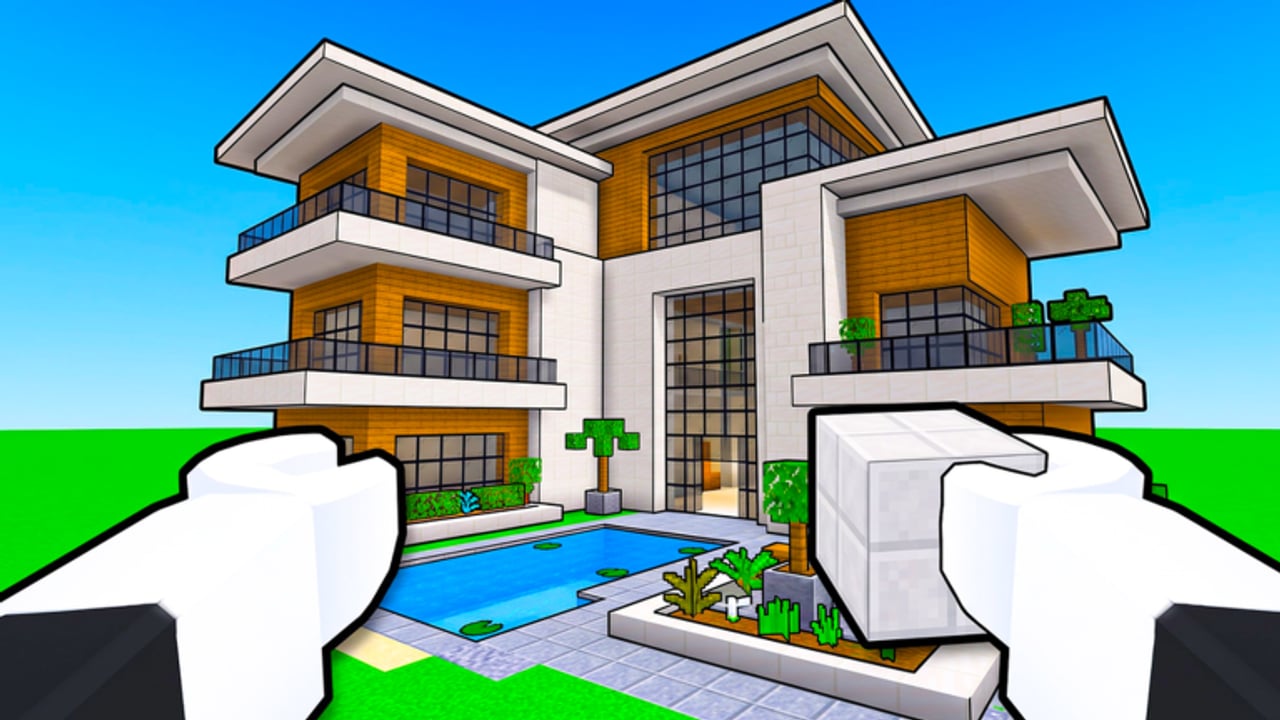
Clean builds in Build Your World by Cozy Games! start with clean inputs. Whether you play on PC or mobile, placement precision decides whether your plot looks intentional or like a spilled block bag. This guide covers movement, camera, building interactions, mounts, and habits that speed repairs after TNT. Pair it with Getting Started and How to Build.
Official place: Build Your World on Roblox — released 2 October 2026, updated through November 2026, servers sized for 8 players.
Roblox experiences share many default movement bindings. Always check the in-game settings or pause menu for the latest Build Your World bindings after patches (Updates). The advice below focuses on reliable habits that survive small remaps.
Core goals for every device
- See the snap grid before you confirm a block.
- Move the camera more than you move your avatar while detailing interiors.
- Confirm interactions (doors, mounts, pets, catalog) without accidental placement.
- Repair fast after chaos tools hit — same inputs, calmer pacing.
PC controls and habits
Movement and camera
- Use standard Roblox locomotion (WASD + jump) to approach the face you are editing.
- Orbit the camera so you view walls face-on when placing floors and roofs — angled views cause height mistakes.
- Zoom in for furniture; zoom out to check silhouette and roof lines.
- Strafe along a wall while placing to keep spacing consistent.
Building precision tips (PC)
- Stand outside the footprint when placing exterior walls so your avatar does not block the ghost preview.
- Place long straight runs in one camera orientation; rotate the view only between sides.
- After each wall segment, nudge the camera and verify the line is flush — fixing a one-block gap later is slower than a two-second check.
- Open the catalog with intent: grab foundation stacks before trim, trim before clutter (How to Build order).
Keyboard quality-of-life
- Rebind only if you truly need to; consistency beats clever layouts when you panic-repair after TNT.
- Keep fingers ready to undo / delete misplaced pieces immediately — do not “fix later.”
- Use shift-walk or careful tapping near ledges so you do not fall while detailing second stories.
Mobile controls and habits
Mobile players can build beautiful plots; they need slightly different discipline.
Thumbs and camera
- Use a dynamic joystick grip that leaves one thumb free to adjust camera often.
- Prefer portrait for travel, landscape for building when your device allows — wider views help roof alignment.
- Zoom more aggressively than on PC; furniture ghosts are easy to mis-tap.
Placement discipline on touch
- Tap to preview, pause, then confirm. Rapid double taps create stacked mistakes.
- Move your avatar out of the tap zone; fat-finger placement on your own character wastes blocks.
- Build one face at a time (front wall completely, then side wall) to reduce rotate-and-error cycles.
- Sit or brace the device during long furniture sessions — micro-shakes cause mis-taps.
Mobile session design
- Do structure on mobile in shorter bursts; save ultra-dense clutter passes for a stable surface or PC if you have both.
- When lobbies get chaotic, either harden walls (Protect Your Base) or continue in a private server where mis-taps are the only enemy.
Shared interactions: build, furniture, animals
Catalog and placement
- Select category → select item → preview alignment → place.
- Prefer large furniture first so you are not squeezing sofas through dense clutter later.
- Delete runners and misaligned pieces immediately.
- Compare material choices on the Blocks Tier List and Furniture Tier List before long grind sessions so you are not remapping controls around constant catalog hopping.
Doors, seats, and world interacts
Approach until the prompt appears; do not spam the interact key while the build tool is active. Tool-mode confusion is a top cause of accidental blocks in doorways.
Horses
- Mount from clear ground with camera behind the horse.
- Steer with movement inputs; look ahead for fence gaps you designed in Pets and Horses.
- Dismount before fine building. Riding while placing is a meme, not a strategy.
Pets
- Interact for care from a stable camera angle.
- Reposition pets with the same patience you use for furniture — rushed pet moves clip into tables and look broken in screenshots.
- Rank options on the Pets Tier List when you are ready to specialize.
Controls under pressure (TNT / tornado repairs)
When a public lobby goes loud:
- Stop decorating. Switch mental mode to structure.
- Camera to the largest hole in the inner wall or roof.
- Place structural blocks only — no rugs during triage.
- Close the safe room if you have one.
- Decide stay-and-repair vs leave-for-private.
Fast repairs use the same bindings as calm building; the difference is prioritization. Read Protect Your Base so you know which layers to restore first.
Accessibility and comfort
- Lower camera sensitivity if placement overshoots.
- Increase sensitivity slightly for horse travel if looking around feels sluggish.
- Take breaks during multi-hour private build nights — fatigue causes more misclicks than bad keybinds.
- On mobile, enable any system-level assist features you already use; consistency matters more than copying someone else’s HUD.
Practice drills (15 minutes)
- Straight wall drill: place a 12-block wall, delete it, repeat until the line stays flush.
- Roof patch drill: create a 3×3 hole and close it from three camera angles.
- Furniture lane drill: place a sofa, table, and lamp with a clear walkway; delete; repeat.
- Mount drill: mount, ride the plot edge, dismount at the door without clipping.
Run these in a private server so drills do not annoy neighbors in an 8-player public lobby.
What controls will not fix
- Bad build order (decorate before roof)
- No defenses in public lobbies
- Fake codes promising “builder OP” — none verified as of November 2026
- Ignoring Updates after a control or UI patch
- Expecting Scripts to replace learning placement (use community tools at your own risk)
Related pages
- Getting Started
- How to Build
- Protect Your Base
- Pets and Horses
- Private Servers
- How to Redeem Codes — for when official codes appear
Master camera discipline and confirm-before-place habits. Build Your World gives you hundreds of blocks and a cozy animal fantasy — controls decide whether that catalog becomes a home or a pile. Practice the drills, repair with priority, and keep keeper projects in free private servers where every careful tap still matters tomorrow.
Frequently Asked Questions
Quick answers to the most common questions.
Are Build Your World controls different on mobile and PC?
Movement follows familiar Roblox patterns on both, but mobile needs slower confirm-to-place habits and more camera zooms. Landscape orientation helps detailed building on phones and tablets.
Why do my walls look uneven?
Usually camera angle. View each wall face-on, place long runs without rotating mid-side, then inspect from a second angle before starting the next face.
Should I build while on a horse?
No. Mount for travel and scouting, then dismount for placement. Riding reduces precision and blocks doorways.
What should I do first after TNT damages my house?
Stop decorating, camera to structural holes, repair inner walls and roof, then restore cosmetics. See Protect Your Base for layer priority.
Where do I rebind keys?
Use Roblox and in-game settings menus. After major patches, re-check bindings via the Updates page notes and the pause menu.