Build Your World Shop and Gamepasses (Honest Status)
What we can verify for Cozy Games!' sandbox — and what scam pages invent.
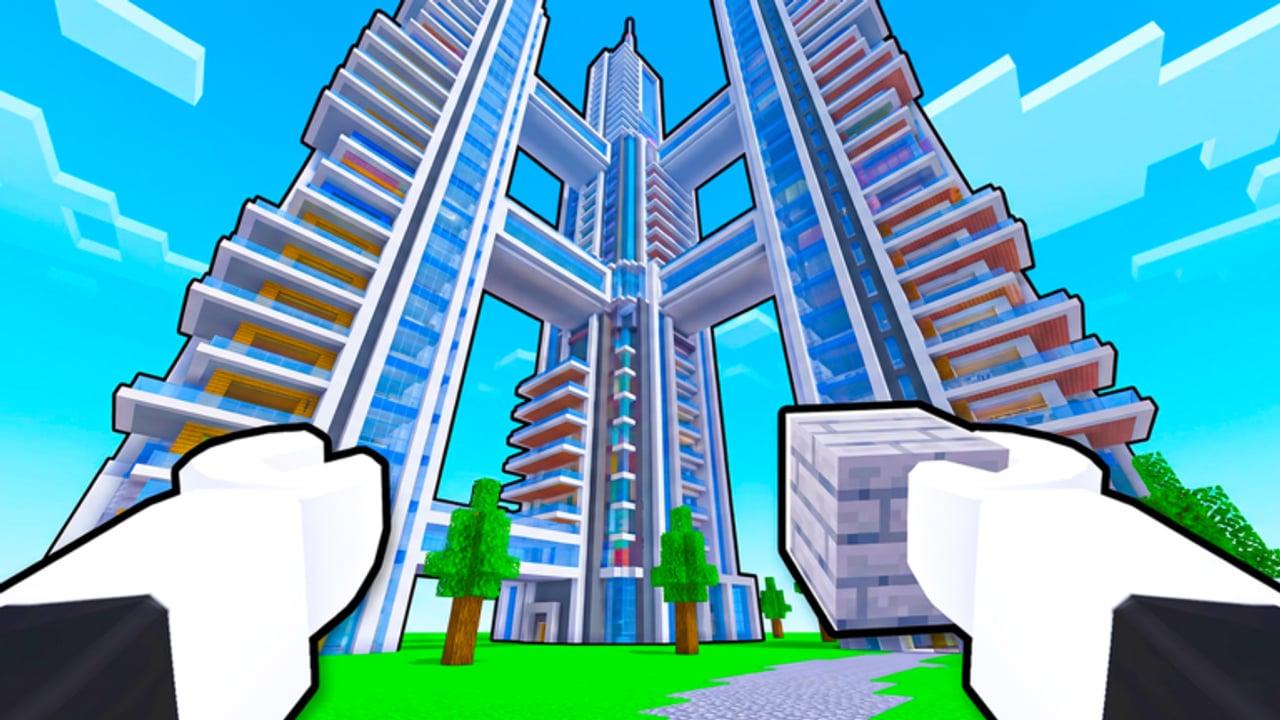
Players search for a Build Your World shop list the same week they search for codes. This page stays honest. Build Your World by Cozy Games! launched 2 October 2026, updates through November 2026, and offers plot building, 100+ furniture pieces, horses, pets, TNT/tornado tools, and free private-server saves on 8-player servers. Mid-November activity sits near ~3.35M visits, often ~20K–24K+ CCU, and roughly ~9.2K favorites. What we cannot honestly publish is a confirmed public gamepass catalog from the Roblox gamepass API — recent checks returned an empty list.
Official place: Build Your World on Roblox. Group: Cozy Games!.
What “API empty” means for you
When the universe’s public gamepass API returns no items, several things may be true:
- The team has not published Roblox gamepasses yet
- Passes exist only as in-experience developer products that do not show the same way
- Passes were removed, renamed, or never attached to this universe ID
- Third-party wikis inventing “VIP anti-grief” passes are guessing or scamming
This wiki will not fabricate a pass table to look complete. When a real, verifiable pass appears on the official experience, we can document name, rough price, and what it actually unlocks after in-client confirmation.
How to check the shop in-client (do this)
- Join the correct place: Build Your World.
- Finish any short tutorial so HUD buttons unlock.
- Open in-experience menus: shop icons, cash/Robux buttons, furniture catalog tabs, or settings banners.
- On the Roblox experience page, scroll for Passes / Store sections if Roblox shows them for this place.
- Compare anything you see with what your account is offered — region and account age can change store UI.
- If you purchase, screenshot the receipt confirmation inside Roblox, not a third-party site.
If the client shows no paid passes, believe the client over a random Google result.
Free vs Robux — practical caution
Build Your World already markets a strong free loop: claim a plot, build with blocks and furniture, use horses/pets, and keep work in free private servers. Paid items — if/when they exist — should feel like optional cosmetics or convenience, not a paywall to basic saving.
Spend only after these checks
- You are on the Cozy Games! place, not a copycat
- The purchase UI is inside Roblox
- You understand whether the item is a gamepass (account unlock) or a developer product (often consumable)
- You do not need the item to “finish” a beginner shell — see Getting Started and How to Build
Do not spend Robux on
- “Anti-grief immortality” sold on external sites
- “Code redeem” pages that ask for your password
- Passes advertised only in executor Discords (Scripts safety notes)
- Anything promising official promo codes that our Codes hub still lists as unverified — as of November 2026, no verified active promo codes exist
Scam patterns targeting this game
Growth to ~3M+ visits attracts copy-paste scam kits. Watch for:
| Scam | Why it spreads | What to do |
|---|---|---|
| Fake anti-grief gamepass | Players fear TNT/tornadoes | Harden builds (Protect Your Base) or use private servers; never buy passes off-site |
| ”Working codes” generators | Codes searches spike on new titles | Trust the empty Codes table until a real drop ships |
| Phishing “shop” mirrors | Lookalike domains | Only use Roblox.com purchase flows |
| Paid script bundles “for building faster” | Script curiosity | Read Scripts — own risk; never share account cookies |
| Fake Discord nitro / Trello “pass lists” | No confirmed public Discord/Trello for this title as of Nov 2026 | Prefer the official Roblox group and experience page |
If chat swears a pass blocks all TNT, treat it as marketing fiction until you see that behavior on your own account after an official purchase.
What actually protects your build (free)
You do not need a mystery pass to keep a house:
- Claim early and hop smart under high CCU — Claim and Save.
- Structure before décor — How to Build.
- Layered walls and safe rooms — Protect Your Base.
- Consent rules + private practice copies for chaos tools — TNT and Tornadoes.
- Free private-server archives for keepers — Private Servers.
Those five habits beat any fake shop page.
When we will expand this page
We will add a verified table when all of the following are true:
- A pass or product is visible on the official experience or a non-empty official API response
- At least one independent in-client purchase or owned-pass check confirms the unlock text
- The benefit can be described without copying scam marketing language
Until then, empty is accurate. Check Updates and November 2026 notes after patches in case a store drop ships beside furniture packs.
Related reading
- Codes — honest empty promo list
- Scripts — executor risk primer
- Wiki overview — official links
- Private Servers — free persistence
- Protect Your Base — free defense
- Guides Hub — full walkthrough map
Shop pages should reduce regret, not invent inventory. Build Your World already gives you a free plot, a free private save path, and a growing furniture catalog — verify every Robux prompt in-client, and ignore anyone selling fear of tornadoes as a product.
Frequently Asked Questions
Quick answers to the most common questions.
What gamepasses does Build Your World have?
As of November 2026, the public gamepass API response we checked was empty. Confirm any store items inside the official Roblox client rather than trusting third-party lists.
Where should I buy passes if they appear?
Only through Roblox: the experience page store section or in-experience purchase UI. Never pay on external "shop" sites.
Do I need Robux to save my build?
No. Build Your World highlights free private-server saves. Use those for keeper projects.
Are anti-grief gamepasses real?
Treat off-site anti-grief passes and code bundles as scams until an official in-client unlock is verified. Defense still comes from layered builds and private servers.
Why does this wiki not list prices?
We refuse to invent a catalog. When a verifiable pass exists, we can document it with confirmed unlock text.
Where do I go for free progression tips instead?
Start with Getting Started, Claim and Save, How to Build, and Protect Your Base. Check Codes for promo status and Scripts for safety warnings.